
single currency setup
The Single Currency option allows you to display the same currency and pricing values to all visitors, regardless of their location.
Steps to Configure Single Currency Pricing
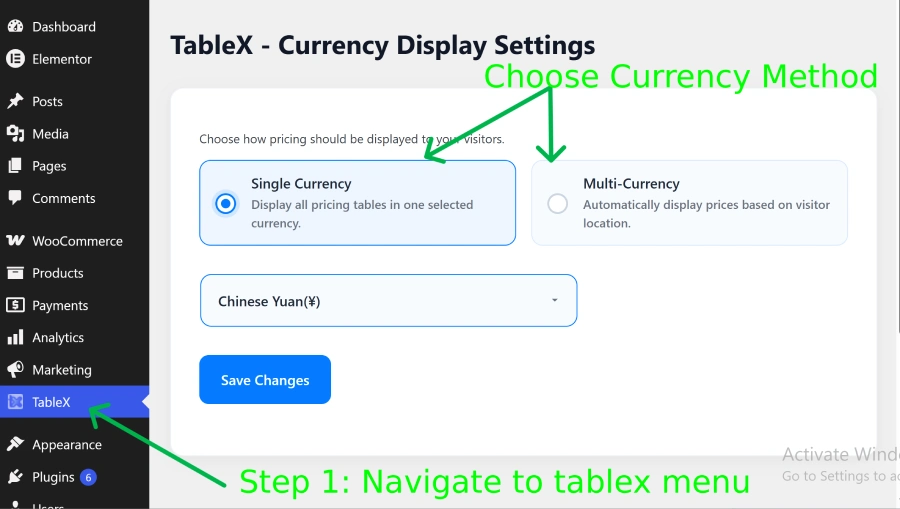
- Navigate to WordPress Dashboard -> TableX
- Open the Currency Display Settings section.
- Set the Currency Method to Single Currency.
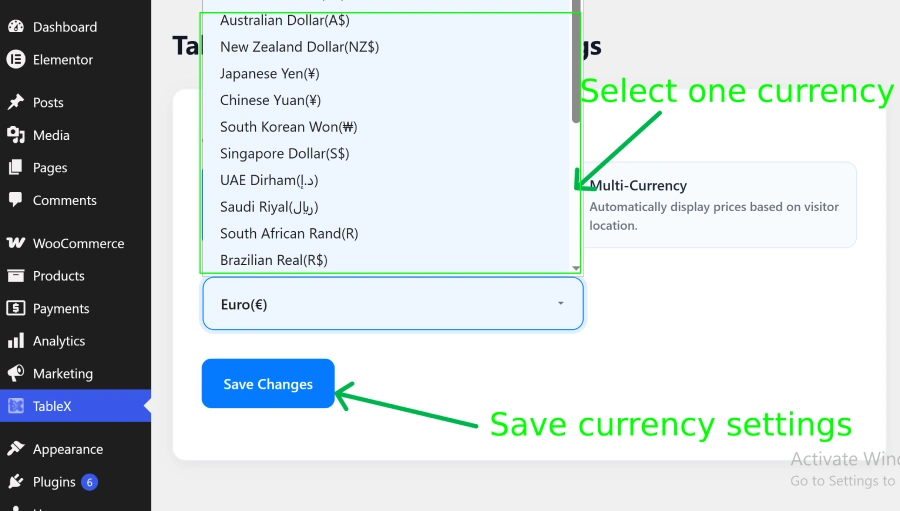
- Select the currency you want to display across your website.
- Save the settings.
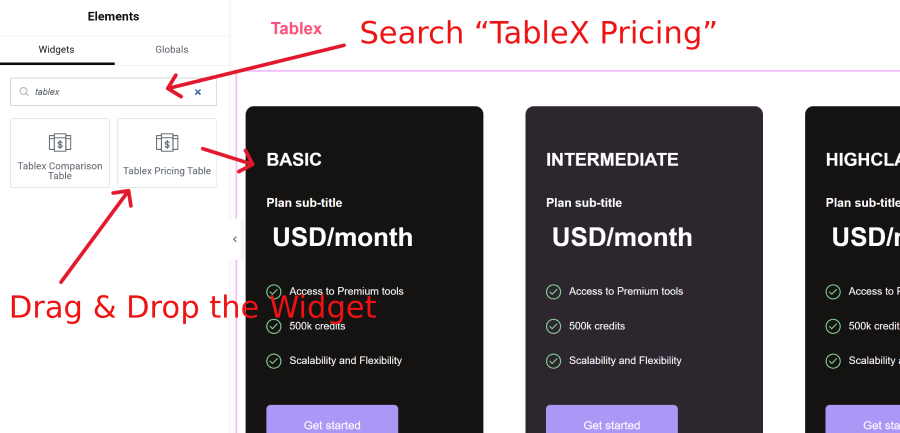
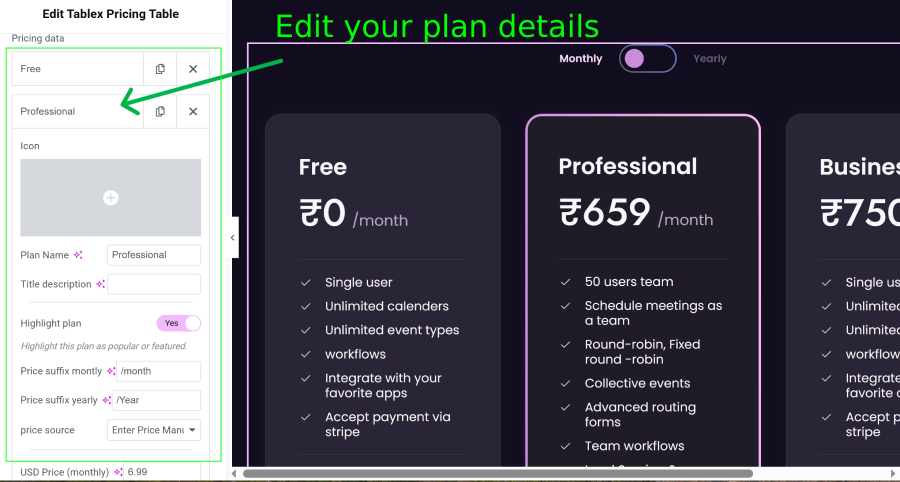
- Edit your page with Elementor and open the TableX Pricing widget.
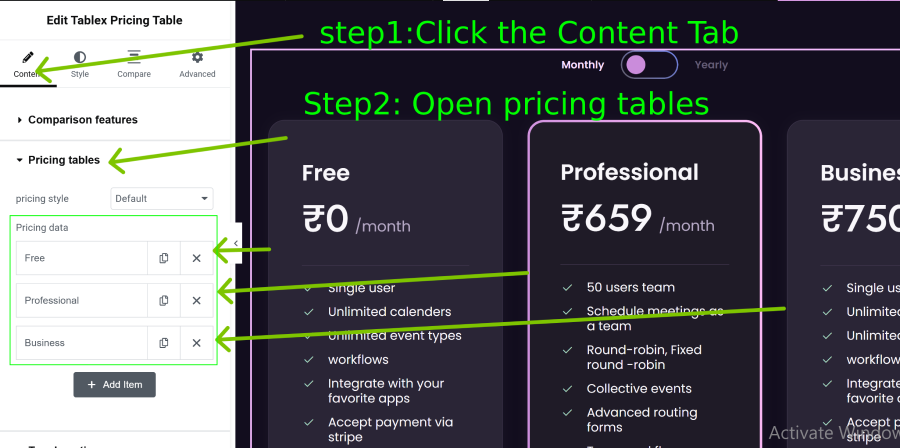
- Navigate to Content → Pricing Tables.
- Open any pricing plan item.
- Enter the pricing values in the available price fields.
- Update the page to save your changes.
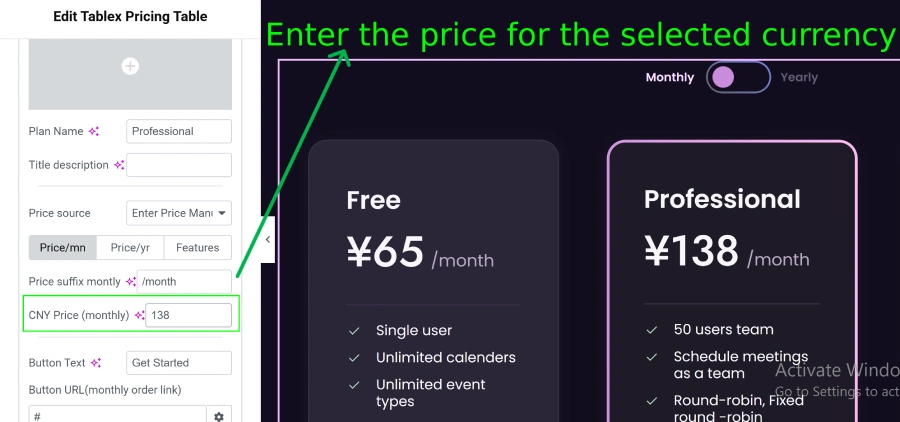
Result:
All visitors will see the same currency and pricing values regardless of their country or location.