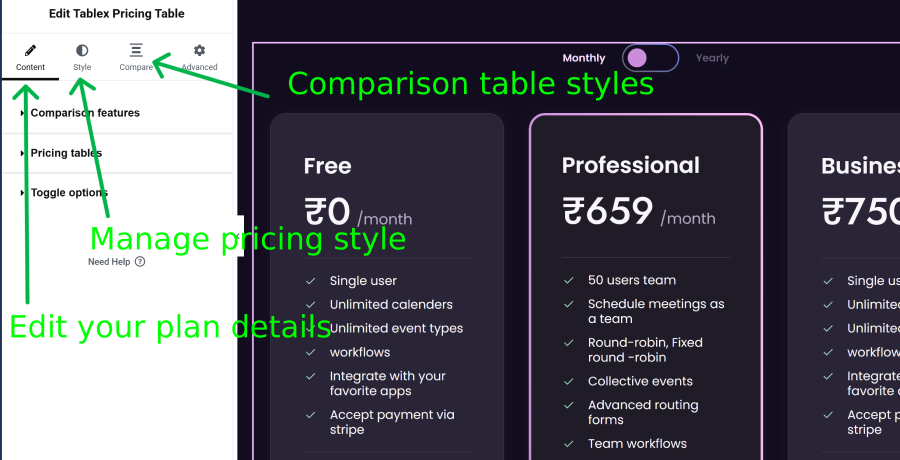
Importing Elementor Templates
TableX comes with a collection of professionally designed pricing table templates that help you create attractive pricing sections quickly without starting from scratch.
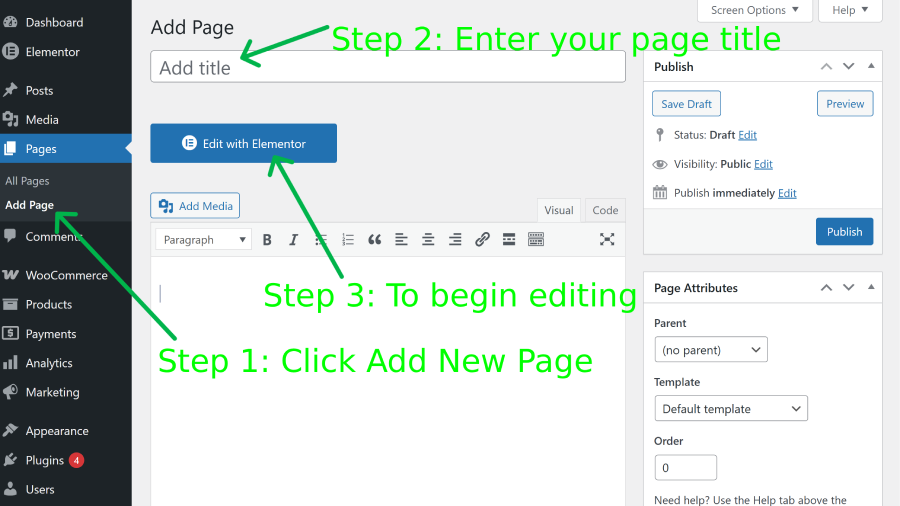
Follow these steps to import a pre-built pricing table template:
- Create or edit a page using Elementor.
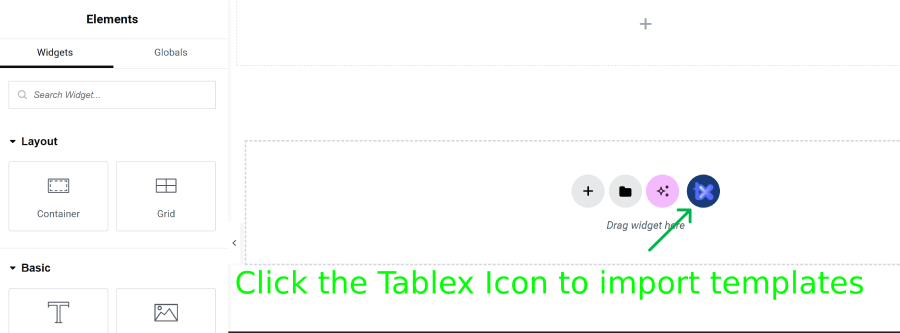
- Click the Tablex Icon inside the Elementor editor.
- Go to the Import Template section.
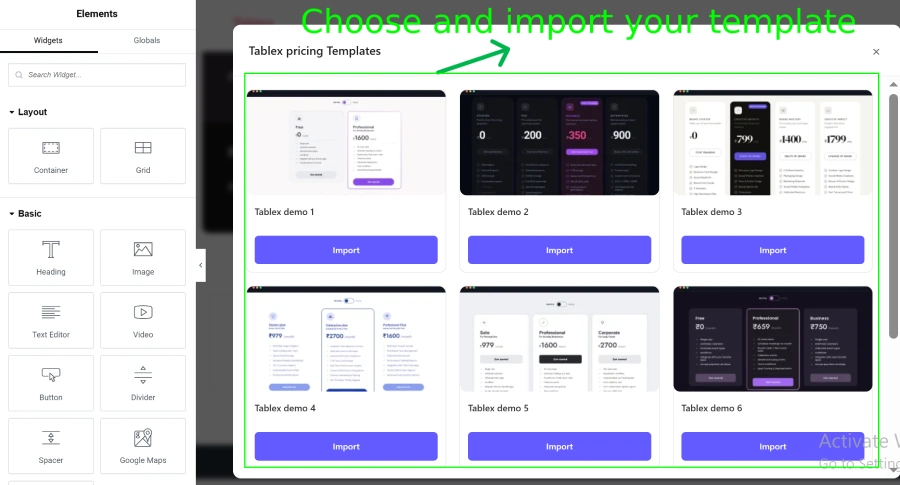
- Choose and import your template.
- Click import to import the pricing table template.
Once imported, you can fully customize the template to match your website design.
You can modify:
- Pricing plans
- Features list
- Button text and links
- Colors and typography
- Currency settings
- Layout styles
- Icons and badges