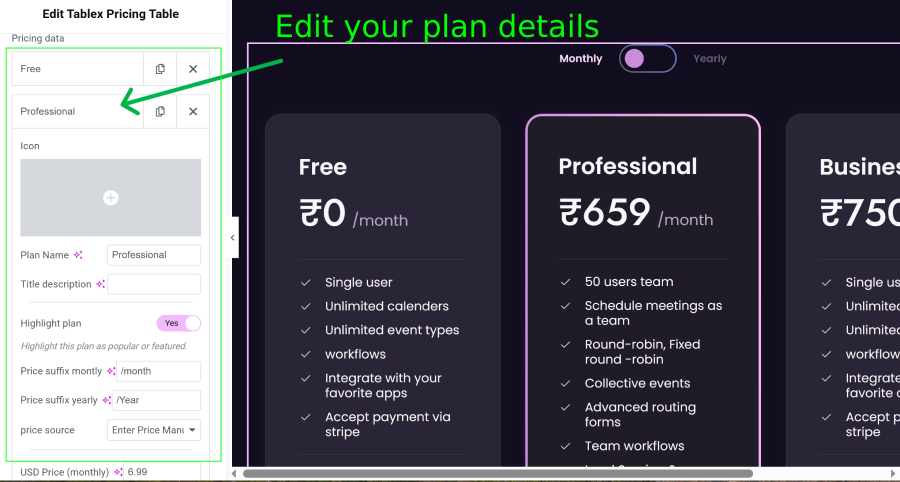
Editing Pricing Plan Content
After importing a template, you can customize the content of each pricing plan.
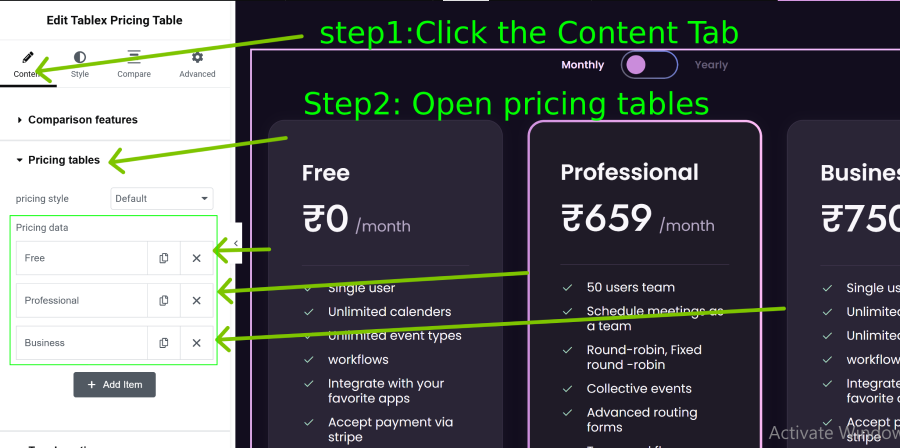
- Open the Content tab in the widget panel
- Navigate to Pricing Tables section.
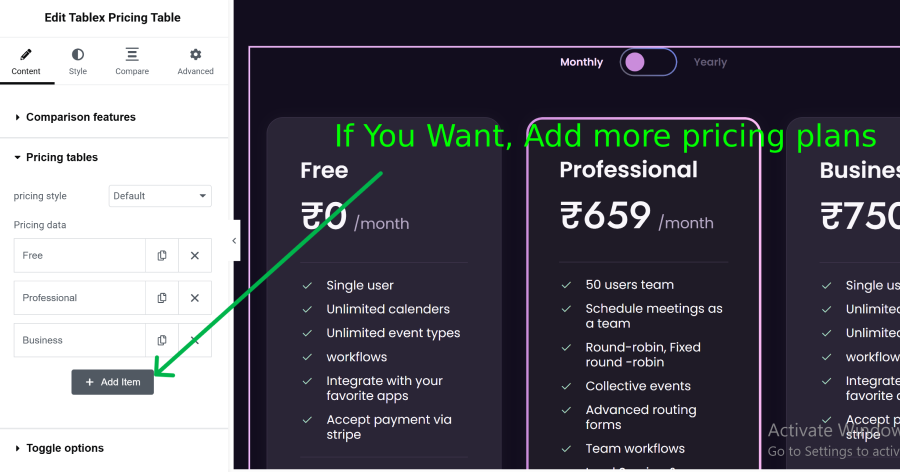
- Click the Add Item button to create a new pricing plan
- Expand the added item to edit the plan details.
- Enter the plan title, price, features, button text, and other content.
- Repeat the same steps to add multiple pricing plans.
- Update the changes to display the pricing tables on your page.
Each pricing plan includes the following options:
- Plan Title
- Plan Subtitle
- Price
- Price Description
- Feature List
- Button Text
- Button Link
- Featured Badge