Step 1 — Download Plugin Package
Download the tablex.zip plugin package from your purchase/download area.
Step 2 — Upload the Plugin
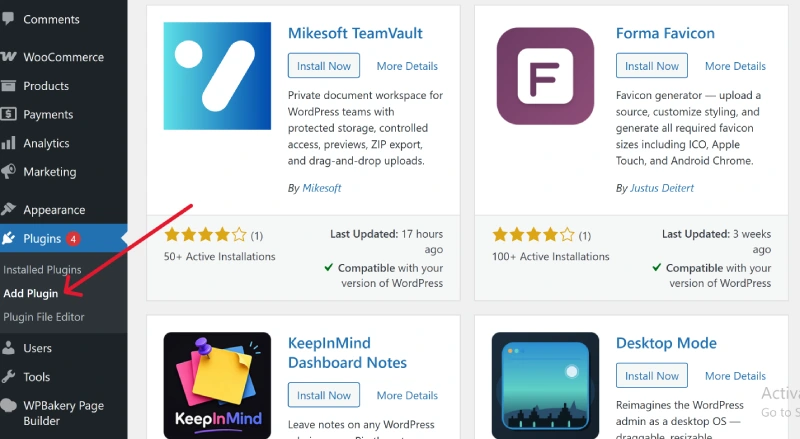
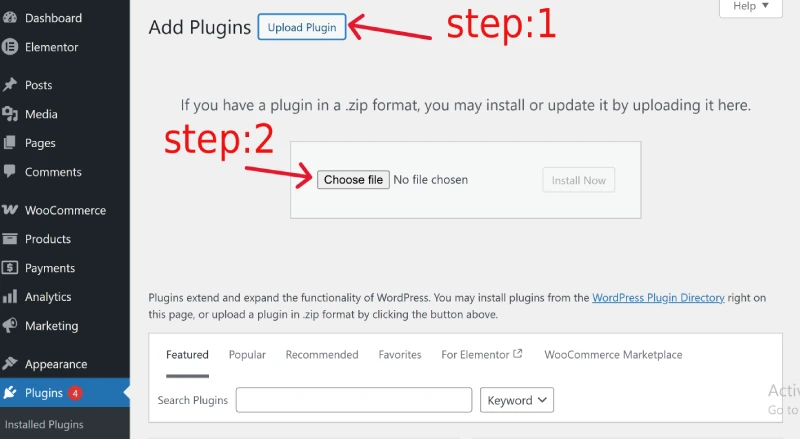
Go to: WordPress Dashboard → Plugins → Add New → Upload Plugin
Then:
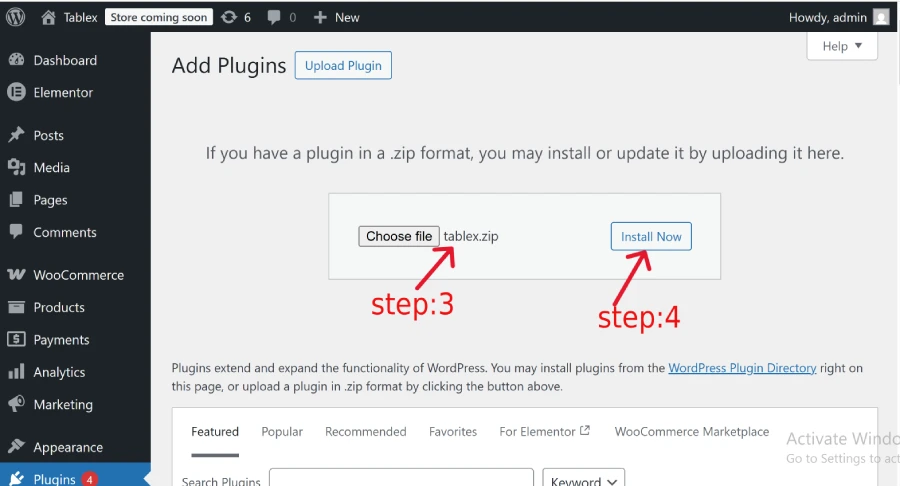
- Click Choose File
- Select the
tablex.zipfile - Click Install Now
Step 3 — Activate Plugin
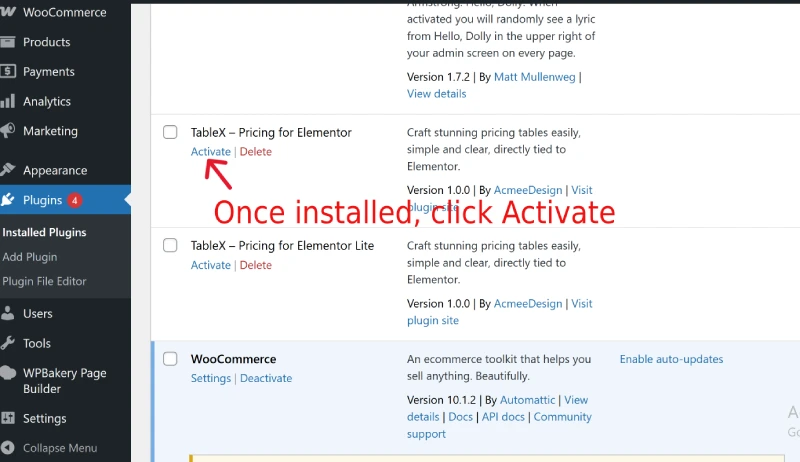
After installation, click Activate Plugin.
TableX is now successfully installed.